How We Built PrintFlow ERP: Real-Time Firebase Sync Across 8 User Roles
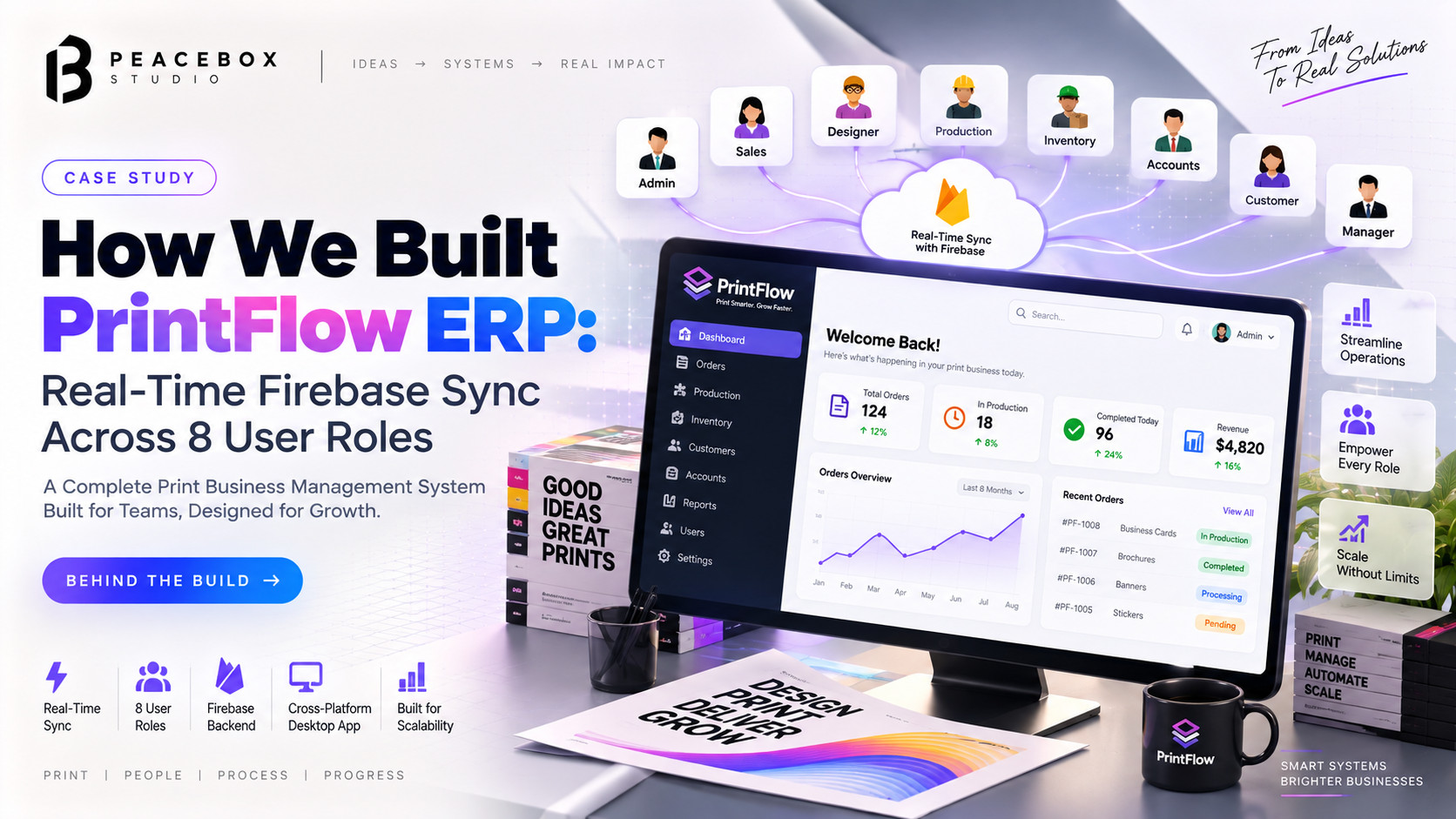
PrintFlow came to us with a familiar problem: their entire inventory, procurement, and production workflow was managed through a shared Excel spreadsheet. Multiple people editing the same file. No version control. No real-time visibility. No audit trail.
We built them a custom ERP in 4 months. Here is how.
Why Electron + Firebase?
The client had multiple workstations across different departments — procurement, production, delivery. They needed real-time sync: if the production manager marks a job card complete, the logistics team should see it instantly on their machine.
Firebase Firestore was perfect for this. Electron wrapped the whole thing into a cross-platform desktop app that works on Windows and Mac without any browser.
The Role System
Eight distinct user roles, each with a completely different view of the system:
- Admin (full access)
- Procurement Manager
- Production Supervisor
- Delivery Manager
- Accountant
- Warehouse Staff
- Sales Representative
- Viewer (read-only)
We implemented role-based routing at the app level. When a user logs in, Firestore returns their role, and the app loads only the modules they are permitted to access. Attempting to navigate to a restricted route redirects instantly — no server round-trip needed.
Real-Time Sync with onSnapshot
Every critical data view uses Firestore's onSnapshot listener instead of one-time get() calls:
const unsubscribe = db.collection('jobCards')
  .where('status', '==', 'in-production')
  .onSnapshot((snapshot) => {
    const jobs = snapshot.docs.map(doc => ({ id: doc.id, ...doc.data() }))
    setJobCards(jobs)
  })

// Cleanup on component unmount
return () => unsubscribe()
When any workstation updates a job card, every other workstation sees the change within milliseconds. No polling. No manual refresh.
Cascade Updates
One of the trickiest requirements: if a product name changes, every related purchase order, delivery note, and job card across the entire database needs to update automatically.
We built a cascade utility using Firestore write batches:
async function cascadeProductUpdate(productId, newName) {
  const batch = db.batch()
  const affected = await db.collection('purchaseOrders')
    .where('productId', '==', productId).get()

  affected.docs.forEach(doc => {
    batch.update(doc.ref, { productName: newName })
  })

  await batch.commit() // Atomic — all succeed or all fail
}
Atomic batch writes guarantee consistency. Either all records update, or none do.
PDF Generation
Purchase orders and delivery notes are generated client-side using jsPDF, then printed via a hidden Electron window — the same silent printing pattern we use in our POS systems.
Lessons
- Firestore onSnapshot is transformative for multi-user desktop apps
- Design your role system before writing a single component
- Cascade operations must be atomic — partial updates cause data corruption
- Always give the user a loading state during Firestore writes, even fast ones
PrintFlow has been running in production for 8 months with zero data loss incidents. The client went from Excel chaos to a fully audited, real-time system that all 8 departments use daily.
Developer at Peacebox Studio, building games, ERP systems, and mobile apps since 2016.
More Articles
Crowded Game Release Windows in 2026: What the Autumn Launch Rush Means for Indie Studios
October 2026 is packed with major game launches. Here’s what the crowded release calendar means for indie studios, and how to time your own launch for the best chance of being seen.
5 Common Mistakes in Game Development
Most game projects don’t fail because of bad ideas. They fail because of avoidable production mistakes. Here are five we see most often and how to avoid them.
UI/UX Design Trends in 2026: What Designers Need to Know
Discover the biggest UI/UX design trends in 2026, from AI-powered experiences and personalization to accessibility, microinteractions, responsive design, Figma, and modern design systems.