Building a Bilingual Urdu RTL POS System with Electron and SQLite
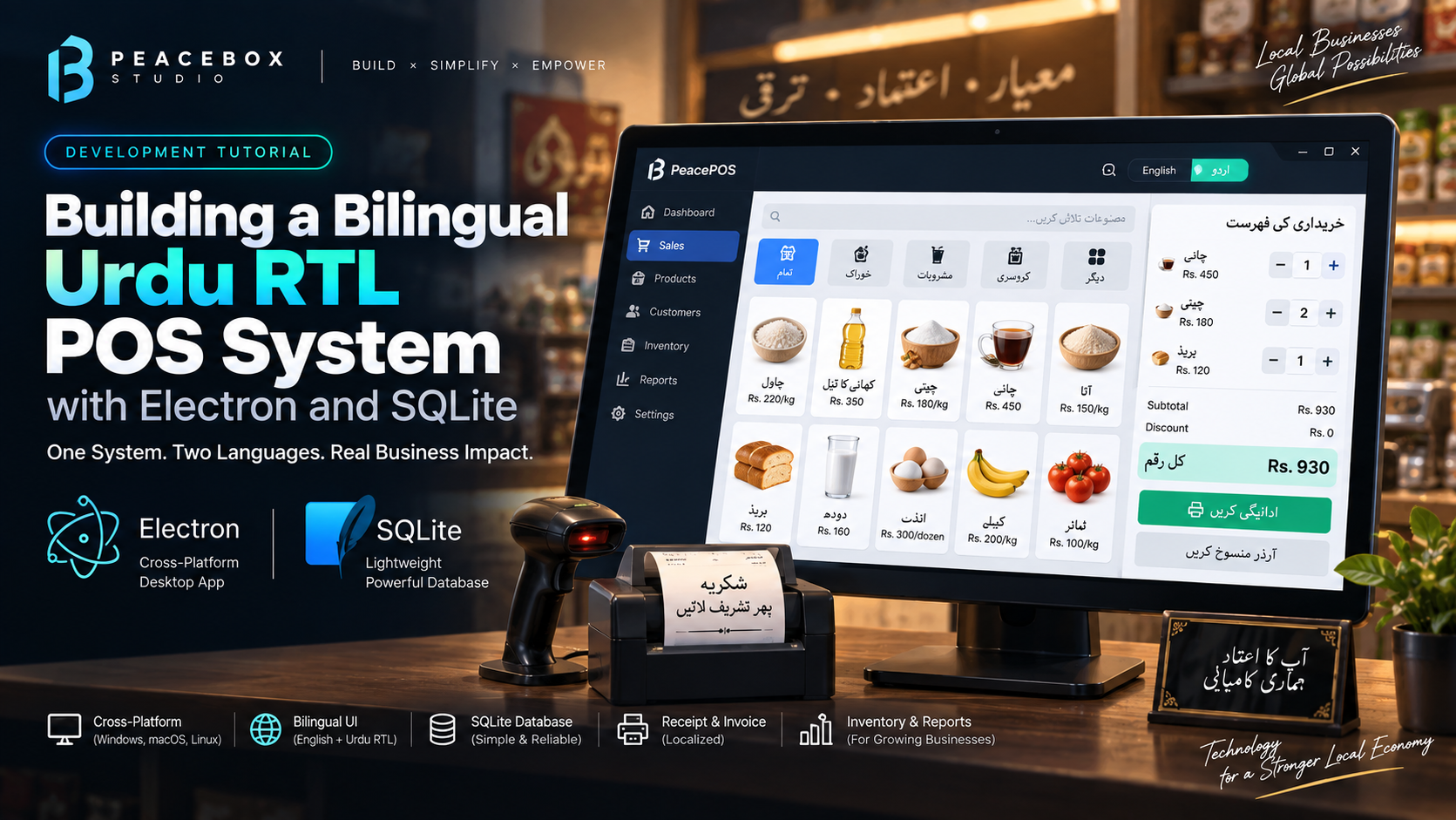
When Illyas Akbar Cycle Works came to us, they had a specific requirement that most software studios would have quietly talked them out of: a fully bilingual English/Urdu desktop POS system, with complete RTL layout switching, silent thermal printing, and total offline operation.
We said yes. Here is how we built it.
Why Electron + SQLite?
The shop has no reliable internet connection and cannot depend on cloud sync. Every transaction, every inventory update, every payroll entry needs to work without any network connection — forever.
Electron with SQLite was the only sensible choice. SQLite gives you a production-grade relational database in a single local file. No server. No cloud. No monthly fees.
The RTL Challenge
Most developers underestimate how deep bilingual RTL support needs to go. It is not just flipping text direction with dir="rtl". It is:
- Mirroring the entire layout (sidebar moves from left to right)
- Reversing flex directions and grid layouts
- Flipping icons and directional elements
- Adjusting font rendering for Nastaliq/Naskh Arabic scripts
- Ensuring all number formatting stays LTR within RTL text
We used i18next for translation management and built a custom CSS variable system that switched the entire layout direction on a single data-dir attribute on the body element.
// RTL switch — single attribute changes everything
document.body.setAttribute('data-dir', language === 'ur' ? 'rtl' : 'ltr')
Silent Thermal Printing
The client had 58mm and 80mm thermal printers. The requirement: print receipts silently with zero print dialogs — no browser print popup, no OS dialog, nothing.
Electron makes this possible via a hidden BrowserWindow:
const printWindow = new BrowserWindow({ show: false })
printWindow.loadURL(`data:text/html,${encodeURIComponent(receiptHtml)}`)
printWindow.webContents.on('did-finish-load', () => {
  printWindow.webContents.print({ silent: true, deviceName: printerName }, () => {
    printWindow.close()
  })
})
Each receipt type (repair, wholesale, credit, standard) generates its own HTML template, loaded into a hidden window, and printed silently. The user never sees a dialog.
The IPC Architecture
In Electron, the renderer process (React/UI) must never talk directly to the database for security reasons. All 50+ database operations are exposed through a typed preload API:
// preload.js
contextBridge.exposeInMainWorld('electron', {
  createBill:    (data) => ipcRenderer.invoke('create-bill', data),
  getInventory:  ()     => ipcRenderer.invoke('get-inventory'),
  processSalary: (data) => ipcRenderer.invoke('process-salary', data),
  // ... 47 more handlers
})
Every operation goes through this bridge. The main process handles SQLite. The renderer just calls window.electron.createBill(data).
The Result
The system has been running in the shop for over 6 months. Zero crashes. The owner switched from manual ledgers to the POS within the first week.
If you need a custom POS, ERP, or business management system — especially one with Urdu support or offline requirements — we have done it before and we know exactly how to build it right.
Developer at Peacebox Studio, building games, ERP systems, and mobile apps since 2016.
More Articles
Crowded Game Release Windows in 2026: What the Autumn Launch Rush Means for Indie Studios
October 2026 is packed with major game launches. Here’s what the crowded release calendar means for indie studios, and how to time your own launch for the best chance of being seen.
5 Common Mistakes in Game Development
Most game projects don’t fail because of bad ideas. They fail because of avoidable production mistakes. Here are five we see most often and how to avoid them.
UI/UX Design Trends in 2026: What Designers Need to Know
Discover the biggest UI/UX design trends in 2026, from AI-powered experiences and personalization to accessibility, microinteractions, responsive design, Figma, and modern design systems.