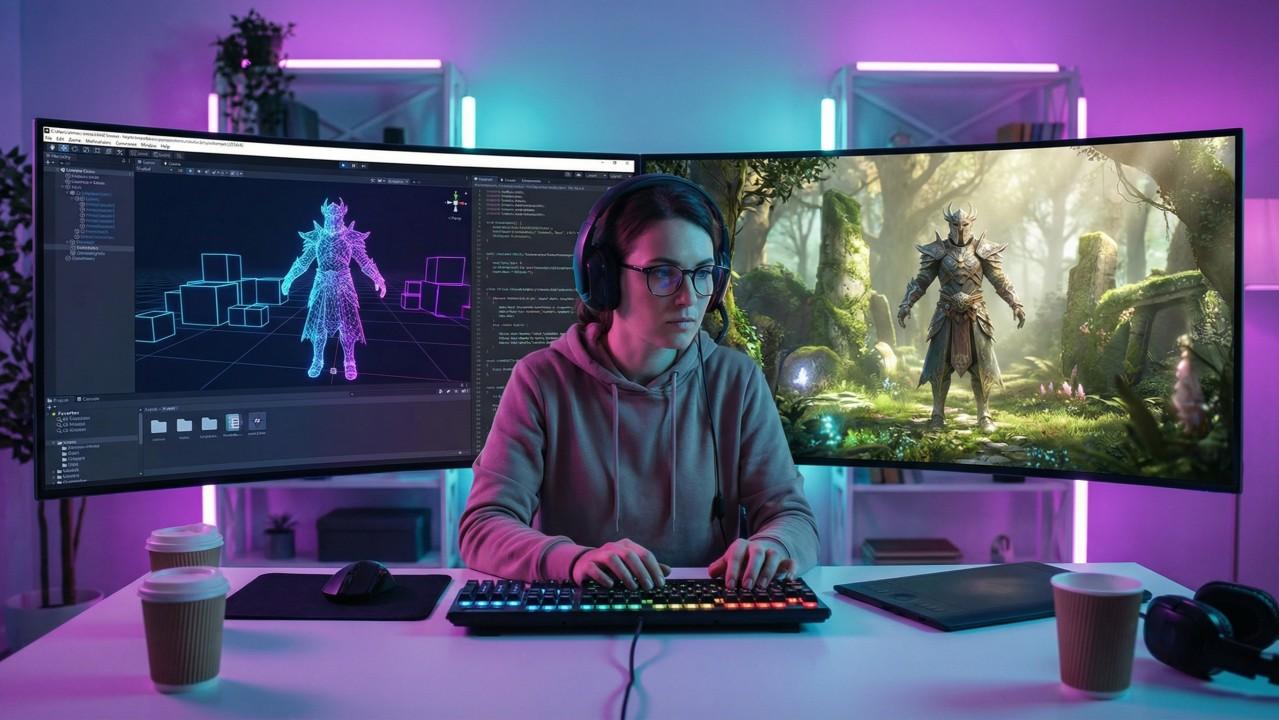
Top 10 AI Tools for Game Developers in 2026: Create Games Faster with AI
Artificial intelligence is transforming the gaming industry, changing how developers design, build, test, and publish interactive experiences.
In 2026, game developers no longer rely exclusively on traditional coding and asset creation workflows. AI-powered coding assistants, 3D model generators, intelligent NPC systems, and automated creative tools are becoming important parts of modern game production.
Whether you're developing a mobile racing game in Unity, creating a 3D adventure in Unreal Engine, or building your first independent game, AI tools can help you prototype ideas, troubleshoot problems, and explore new creative possibilities.
But with so many AI-powered game development platforms available, which tools are actually worth using in 2026?
In this comprehensive guide, Peacebox Studio explores 10 of the best AI tools for game developers in 2026, including their features, benefits, limitations, and practical applications.
What Are the Best AI Tools for Game Development in 2026?
The best AI game development tools depend on the work you need to complete.
For Unity development, Unity's own AI tools offer valuable project-aware assistance. Claude Code and OpenAI Codex are useful for codebase-level programming tasks. Meshy helps generate 3D assets, while Scenario supports consistent visual content creation. Convai specializes in interactive AI characters, and ElevenLabs can help create voice and sound effects.
Here are our 10 recommended tools:
| AI Tool | Best For | Primary Use |
|---|---|---|
| Unity's AI Tools | Unity developers | In-editor assistance and workflow automation |
| Claude Code | Programming and debugging | AI-assisted game coding |
| OpenAI Codex | Software engineering | Feature implementation and code review |
| GitHub Copilot | Everyday coding | IDE assistance and coding workflows |
| Cursor | Codebase development | AI-assisted editing and debugging |
| Meshy AI | 3D artists and developers | 3D model generation |
| Scenario | Game art production | Consistent visual assets |
| ElevenLabs | Game audio | AI voices and sound effects |
| Convai | Interactive characters | Conversational AI NPCs |
| Ludo.ai | Game designers | Ideas, concepts, and pre-production |
These recommendations are organized by development workflow rather than based on a controlled performance benchmark. Tools, pricing, and availability may change.
1. Unity's AI Tools—Best for AI-Assisted Unity Game Development
Official Website: https://unity.com/features/ai
Unity is one of the most widely used game engines for developing mobile, PC, and interactive 3D experiences.
In 2026, Unity's AI development capabilities extend beyond simple code suggestions.
Its current toolset includes an in-editor AI assistant, an official plugin for supported third-party coding agents, the Unity command-line interface, and Model Context Protocol (MCP) connectivity.
Key Features
Project-aware assistance inside Unity.
Help with scripts, scenes, and GameObjects.
Unity Editor workflow automation.
Official integration options for Claude Code and Codex.
AI-supported development-stage asset creation.
Access to Unity-specific engineering guidance.
How Game Developers Can Use It
Imagine you're building a 3D racing game.
Unity's AI assistant can help investigate scene components, propose gameplay changes, generate scripts, and support debugging.
With authorized agent integrations, developers can also enable external tools to work with Unity-specific project context instead of relying exclusively on source code files.
Advantages
Unity-specific assistance can be more context-aware than a general-purpose chatbot.
It is especially useful for developers who already work inside the Unity ecosystem.
Limitations
Some capabilities require Unity 6 or later. AI tools may be in beta, certain features use credits, and generated changes require testing.
Best For: Unity developers, mobile game studios, indie game creators, and teams exploring AI-assisted workflows.
2. Claude Code — Best for Complex Game Programming
Official Website: https://claude.com/product/claude-code
Claude Code is an AI coding agent from Anthropic that works with development projects through a terminal and supported development environments.
Unlike basic autocomplete systems, it can inspect project files, work across multiple scripts, propose code changes, and help developers debug larger systems.
Key Features
Project-wide codebase exploration.
Multi-file code editing.
AI-assisted debugging and refactoring.
Test generation and execution with permission.
Git workflow support.
Support for MCP integrations and developer tools.
Official Unity plugin integration.
How Game Developers Can Use It
A Unity developer could ask Claude Code to implement a checkpoint system for a racing game.
For example:
"Create a modular race management system with ordered checkpoints, lap counting, a countdown timer, and race completion events. Follow the project's existing coding conventions and add appropriate tests."
Claude Code can help plan and implement the relevant C# classes, identify dependencies, and propose a verification process.
Advantages
Claude Code is useful for complex programming work involving multiple files and existing project architecture.
It can also help improve project organization and code maintainability.
Limitations
AI-generated code may contain bugs or incorrect assumptions about engine versions and packages.
Large tasks should be divided into smaller, reviewable changes.
Best For: Intermediate developers, professional game programmers, and teams building complex gameplay systems.
3. OpenAI Codex — Best for AI-Assisted Software Engineering
Official Website: https://openai.com/codex/
OpenAI Codex is an AI coding agent designed to assist with software development tasks.
It supports activities such as implementing features, fixing bugs, reviewing code, and helping developers work through complex engineering problems.
For game developers, Codex can support programming tasks across gameplay systems, interfaces, networking components, tools, and supporting services.
Key Features
AI-generated code and implementation suggestions.
Multi-file project modifications.
Debugging and refactoring assistance.
Automated test support.
Codebase exploration.
Development workflow integration.
Unity-specific integration through supported official tooling.
Practical Game Development Example
Suppose you're developing a multiplayer game in Unity.
You could ask Codex to help design a modular lobby architecture, identify networking requirements, and implement initial UI logic.
The implementation must still be reviewed and tested using the actual networking framework selected for the project.
Advantages
Codex is useful for structured engineering tasks, especially when requirements are documented and the project has clear test procedures.
Limitations
It does not eliminate the need for developer supervision, performance profiling, or real-device testing.
Best For: Gameplay programmers, developers maintaining large codebases, and teams that want AI-assisted engineering workflows.
4. GitHub Copilot — Best for Everyday Coding Assistance
Official Website: https://github.com/features/copilot
GitHub Copilot provides AI assistance within supported coding environments and development workflows.
It can help developers write functions, understand code, prepare changes, and reduce repetitive programming work.
Key Features
Context-aware code suggestions.
AI coding conversations.
Code explanations.
Test and documentation assistance.
Integration with supported developer tools.
Agent-oriented development capabilities, depending on the environment and plan.
Game Development Applications
GitHub Copilot can support developers working with C#, C++, and other languages commonly used in game development.
For example, it can help draft:
Player movement components.
Inventory logic.
User interface controllers.
Data-saving utilities.
Gameplay helper functions.
Advantages
Copilot fits naturally into an existing coding workflow and can be helpful for frequent, smaller programming tasks.
Limitations
Suggestions may not account for the full game architecture or engine-specific runtime behavior.
Best For: Developers who want regular coding assistance without fundamentally changing their IDE workflow.
5. Cursor—Best for AI-Powered Codebase Editing
Official Website: https://cursor.com/
Cursor is an AI-focused code editor with agent capabilities designed to help developers work on existing software projects.
Its agent can search through a codebase, edit multiple files, run commands, and assist with debugging.
Key Features
AI-assisted code editing.
Multi-file changes.
Codebase search and understanding.
Debugging and refactoring.
Agent-based task execution.
Integrated development assistance.
Practical Example
A developer could ask Cursor to reorganize an existing game's inventory system without changing how its public interfaces behave.
Cursor can inspect relevant scripts, propose modifications, and help generate tests.
Advantages
Cursor can be valuable when developers want AI assistance directly within a code-editing environment.
Limitations
For engine-specific tasks, additional tooling may be required to inspect live scenes, GameObjects, or editor state.
Best For: Developers who prefer an integrated AI code editor and frequently modify existing projects.
6. Meshy AI—Best for Generating 3D Game Assets
Official Website: https://www.meshy.ai/
Creating 3D characters, props, vehicles, and environments can require significant artistic and technical effort.
Meshy AI helps creators generate 3D assets from text descriptions and reference images.
It provides generation, texturing, and export workflows that can support game development pipelines.
Key Features
Text-to-3D model generation.
Image-to-3D conversion.
AI-assisted texturing.
Model refinement and export.
Asset creation for 3D games and prototypes.
Support for common 3D interchange formats.
How Game Developers Can Use It
A racing game developer might create early concepts for:
Cartoon vehicles.
Roadside decorations.
Traffic obstacles.
Buildings.
Environmental props.
Character accessories.
Example prompt:
"Create a low-poly stylized racing-game obstacle shaped like a wooden barrel, with clean geometry, readable details, and a colorful arcade art style."
Advantages
Meshy is useful for generating concepts and prototype assets when teams need to explore different visual directions.
Limitations
Generated assets still require technical inspection.
Developers should check topology, UV mapping, texture quality, polygon counts, materials, and animation compatibility.
For mobile games, optimization remains essential.
Best For: Indie developers, 3D artists, level designers, and game studios creating prototypes.
7. Scenario — Best for Consistent AI Game Art
Official Website: https://scenario.com/
One of the biggest challenges in AI-generated game art is maintaining a consistent visual style.
A game may require dozens or hundreds of related assets that share the same artistic direction.
Scenario is a creative AI platform designed to support style-consistent asset creation across multiple media formats.
Key Features
AI-generated visual assets.
Custom model training.
Style-consistent image generation.
Creative editing tools.
3D, video, and audio workflows.
API and workflow automation options.
Game Development Applications
Scenario may assist with:
Character concept art.
Game icons.
Environment illustrations.
Promotional artwork.
UI asset concepts.
Consistent visual variations.
Marketing graphics for game launches.
For example, a studio developing a fantasy adventure game could establish an art direction and produce variations of characters, items, and environments within that visual style.
Advantages
Scenario is particularly relevant to studios that need a coordinated visual identity across many game assets.
Limitations
Teams must still review image consistency, legal rights, accuracy, and suitability for final production.
Best For: Game artists, UI designers, creative directors, and studios with large visual asset requirements.
8. ElevenLabs — Best for AI Game Voices and Sound Effects
Official Website: https://elevenlabs.io/
Sound design plays an important role in creating immersive gaming experiences.
ElevenLabs provides AI audio generation capabilities that can support voiceovers, dialogue production, and sound effect creation.
Key Features
AI-generated voice output.
Text-to-speech capabilities.
Sound effects generated from text descriptions.
Audio API integration.
Support for different voice and sound design workflows.
Practical Game Development Example
A fantasy game developer may need voices for several non-player characters.
AI audio tools can help prepare dialogue prototypes or produce approved synthetic voice performances.
For environmental sound design, a developer might use a prompt such as:
"Generate the sound of heavy footsteps moving through a stone corridor, with subtle echoes and a suspenseful atmosphere."
Advantages
AI audio tools allow teams to experiment with sound concepts without recording every early prototype manually.
Limitations
Commercial licensing, voice rights, player privacy, audio quality, and integration costs should be reviewed.
Do not clone a real person's voice without the necessary rights and consent.
Best For: Narrative game developers, sound designers, indie studios, and interactive experience creators.
9. Convai — Best for Intelligent AI NPCs
Official Website: https://convai.com/
Non-player characters are an essential part of many modern games.
Traditional NPC systems commonly use predetermined dialogue, decision trees, and behavior scripts.
Convai provides technology for creating conversational AI characters that can interact with users in real time.
Key Features
AI-powered character conversations.
Character roles and objectives.
Knowledge-based responses.
Voice interactions.
Narrative tools.
Unity and Unreal Engine integrations.
Character actions and animation-related capabilities.
How Game Developers Can Use It
Imagine developing an open-world adventure game.
A player approaches a village shopkeeper and asks about a missing character.
Instead of relying solely on a fixed dialogue list, the character could generate context-sensitive responses based on its configured knowledge and role.
Advantages
Convai can be useful for experimenting with more dynamic character interactions and conversational gameplay.
Limitations
Developers must evaluate response reliability, latency, operational cost, content moderation, and narrative consistency.
Traditional gameplay logic should remain responsible for important game rules and outcomes.
Best For: RPG developers, simulation games, educational experiences, and studios building interactive virtual characters.
10. Ludo.ai — Best for Game Ideas and Pre-Production
Official Website: https://ludo.ai/
Every successful game begins with an idea, but turning that idea into a strong gameplay concept requires research, iteration, and planning.
Ludo.ai is designed to help developers explore game concepts, generate ideas, and organize pre-production work.
Key Features
AI-powered game ideation.
Genre and theme exploration.
Concept variations.
Game design document support.
Concept art generation.
Research and market exploration tools.
Pre-production planning assistance.
Practical Example
Suppose you want to develop a casual mobile racing game.
You could use Ludo.ai to explore concepts involving:
Short competitive races.
Cartoon vehicles.
Obstacle-based tracks.
Reward systems.
Character customization.
Time-limited challenges.
The generated ideas can serve as starting points for a more detailed game design document.
Advantages
Ludo.ai is useful during the early creative stages of development, especially when comparing multiple gameplay concepts.
Limitations
It does not replace audience research, market validation, playtesting, or the actual engineering work needed to build a playable game.
Best For: Game designers, startup founders, indie developers, and teams preparing new game concepts.
Which AI Tool Should You Choose for Game Development?
Choosing the right tool depends on your development goals.
For Unity Game Development: Start with Unity's AI tools and evaluate Claude Code or Codex for additional coding assistance.
For Complex Programming: Consider Claude Code, OpenAI Codex, or Cursor.
For Everyday Coding: GitHub Copilot may be a convenient option.
For 3D Game Assets: Explore Meshy AI.
For Consistent Game Art: Scenario is worth evaluating.
For Game Audio: ElevenLabs can support voice and sound design.
For Conversational NPCs: Convai specializes in interactive characters.
For Game Ideas and Planning: Ludo.ai supports pre-production workflows.
Instead of purchasing every tool, choose the smallest combination that solves your immediate production problems.
How to Combine AI Tools in a Complete Game Development Workflow
Using several specialized AI tools can be more effective than relying on one platform for every part of a game.
Consider a small studio developing a stylized 3D racing game.
Stage 1: Game Concept and Research
Use Ludo.ai to explore game concepts, identify interesting mechanics, and prepare an initial game design document.
Developers should then validate the strongest ideas through gameplay prototypes.
Stage 2: Project Setup
Create a Unity project, select appropriate rendering settings, establish version control, and organize the project structure.
Unity's AI tools can help with project-specific guidance and editor workflows.
Stage 3: Gameplay Programming
Use Claude Code or OpenAI Codex to help implement gameplay components such as vehicle controls, cameras, lap timers, checkpoints, and menus.
Review and test each feature before moving to the next.
Stage 4: 3D Asset Creation
Use Meshy to generate prototype props, then refine selected assets in a dedicated 3D application.
Stage 5: Visual Art and UI
Use Scenario to explore visual directions and create consistent concept assets.
Professional design review is important for accessibility, readability, and visual consistency.
Stage 6: Sound Design
Use ElevenLabs to prototype effects and approved voice assets.
Stage 7: Testing and Optimization
Run the game in Unity and test it on the devices you intend to support.
Use performance profiling tools to identify bottlenecks.
Stage 8: Release Preparation
Prepare platform-specific builds, verify licensing, optimize assets, complete quality assurance, and review distribution requirements.
AI can assist with technical tasks, but final release decisions should remain under human control.
Can AI Tools Make AAA-Quality Games?
AI can support parts of high-quality game production, but creating an AAA-quality game requires far more than generating scripts and art assets.
Large-scale game development involves:
Detailed game design and production planning.
Sophisticated graphics and animation systems.
Complex gameplay architecture.
Professional art direction.
Extensive optimization.
Reliable networking and backend services.
Sound design and music production.
Accessibility and localization.
Security and quality assurance.
Large-scale testing and ongoing support.
AI tools may help smaller teams explore ambitious ideas, but they do not automatically provide the production resources, technical expertise, or quality standards associated with major game studios.
The strongest approach is combining AI assistance with professional game development practices.
Important Challenges When Using AI for Game Development
1. Incorrect or Incomplete Code
AI-generated scripts may compile successfully but still cause gameplay problems.
Use automated tests, code reviews, and in-engine verification.
2. Copyright and Licensing
Review the commercial usage rights of generated models, images, audio, and other content.
3. Game Performance
AI-generated 3D assets may need optimization before being used in Android or browser-based games.
4. Security and Privacy
Be careful when sharing private repositories, credentials, proprietary game assets, or player information with third-party services.
5. AI Tool Costs
Subscriptions, API usage, generation credits, and live AI NPC interactions can introduce recurring expenses.
6. Overdependence on Automation
AI assistance is most effective when developers understand their own architecture and can verify the generated changes.
How Peacebox Studio Uses Modern Game Development Approaches
At Peacebox Studio, we focus on combining creative design with modern software and game development practices.
We explore technologies that can support efficient development, interactive experiences, and engaging digital products.
Our services include:
Game Development: Creating interactive games using modern development engines and workflows.
3D Art and Animation: Developing characters, environments, props, and visual content for games and digital experiences.
Mobile App Development: Building applications designed for modern smartphones and user needs.
Software Development: Creating custom software solutions for businesses and digital products.
UI/UX Design: Designing intuitive interfaces for applications, websites, and interactive experiences.
AI and Machine Learning: Exploring intelligent functionality and automation opportunities for digital solutions.
Whether you are planning a casual mobile game, a 3D simulation, or a larger interactive experience, choosing the right technology is an important part of successful development.
Explore our services at Peacebox Studio.
Conclusion: The Future of Game Development Is AI-Assisted
Artificial intelligence is creating new opportunities across the game development industry.
From coding assistants and intelligent NPCs to 3D asset generators and creative planning platforms, AI tools can support nearly every stage of game production.
However, the best results come from choosing tools strategically.
Unity's AI tools, Claude Code, Codex, Meshy, Scenario, ElevenLabs, Convai, and other platforms each offer different strengths.
Game developers who combine these technologies with professional engineering, creative expertise, and thorough testing will be better positioned to build compelling experiences.
Ready to turn your game idea into a real digital product?
At Peacebox Studio, we help bring ideas to life through game development, 3D art, software engineering, mobile app development, and innovative digital design.
Visit www.peaceboxstudio.com to explore our services and discuss your next project.